How to Delete a Data Asset
Data assets have a lot of user-generated metadata, such as descriptions, tags, ownership, tiering. There’s also rich metadata generated by OpenMetadata through the data profiler, usage data, lineage, test results, and other graph relationships with other data assets. When a data asset is deleted, all of this rich information is lost, and it’s not easy to recreate it. OpenMetadata supports both soft delete and hard delete.
To delete a data asset:
- Navigate to Explore and the relevant Data Asset section to select a specific asset.
- Click on the vertical ellipsis icon ⋮ located on the top right and click on Delete.
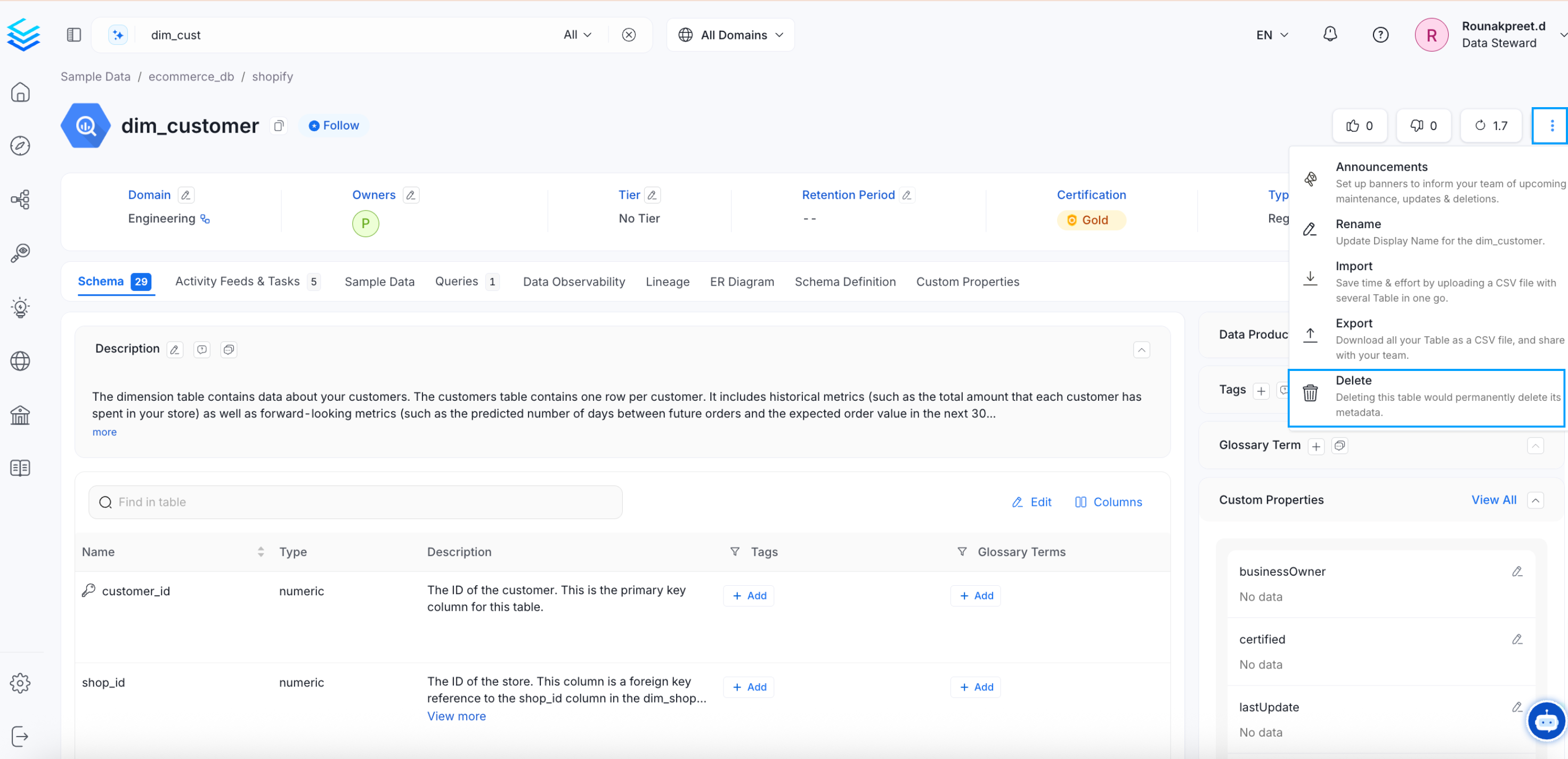
Delete a Data Asset
- You can choose to soft delete or hard delete a data asset. Soft deleting will provide a read-only access to the data assets. Hard deleting will permanently delete the data asset from OpenMetadata.
- Type DELETE to confirm deletion.
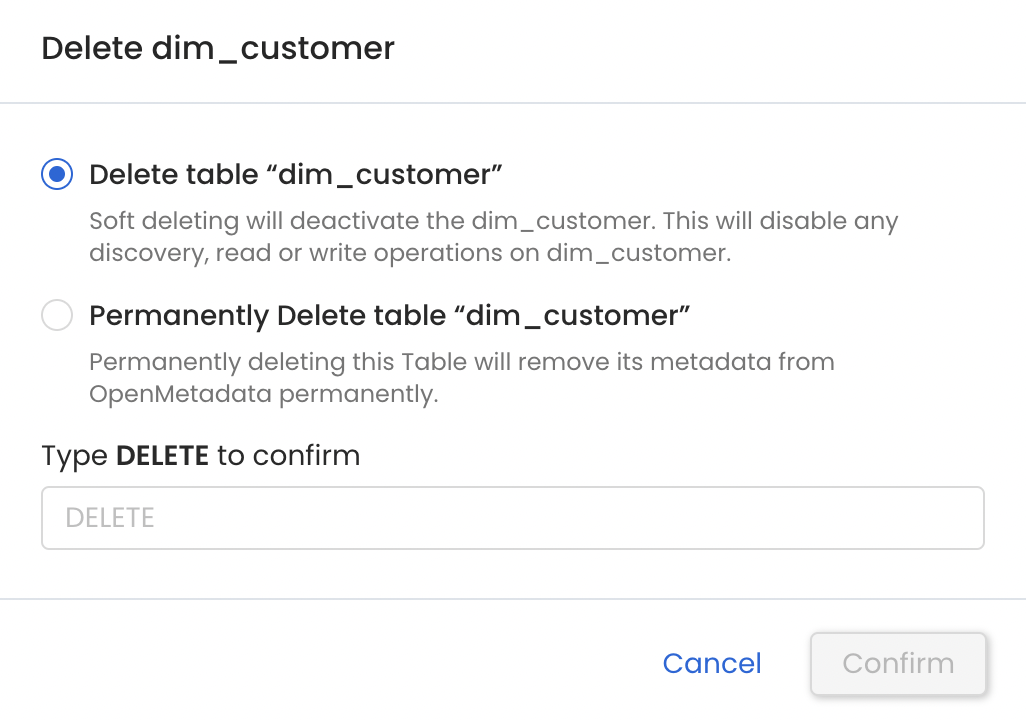
Soft or Hard Delete a Data Asset
Tip: Notify team members of data changes by creating announcements.